
Create Spotify Canvas Videos In Minutes
Transform your Spotify presence with professional Canvas videos. Choose from our collection of templates, add your music, and create stunning visuals that capture attention.
No credit card required
Everything You Need for Spotify Canvas
Professional Templates
Choose from a variety of professionally designed templates optimized for Spotify Canvas format.
Audio Reactive
Create visuals that react to your music. Perfect for highlighting beats and creating engaging loops.
Spotify Optimized
All videos are exported in the exact specifications required by Spotify Canvas.
Real-time Preview
See how your Canvas will look in real-time. Make adjustments and perfect your visuals instantly.
Multi-platform Export
Use the same video for Instagram Stories, TikTok, and other vertical video platforms.
Easy to Use
No video editing skills required. Our intuitive interface makes it easy to create professional Canvas videos.
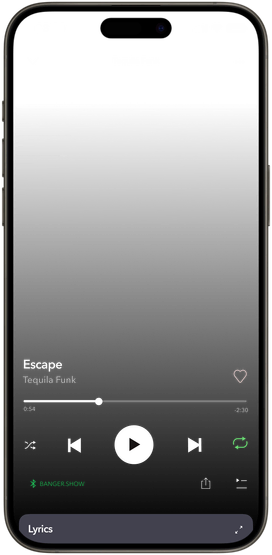
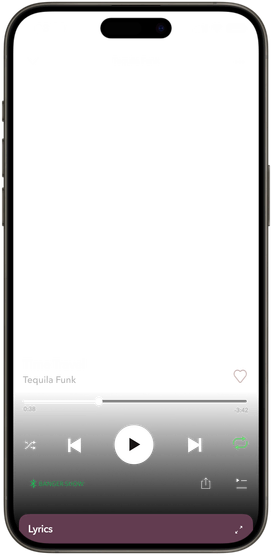
Create abstract visuals matching the vibe of your music
Powerful Editor Made Simple
Create your Spotify Canvas with our intuitive editor
Visualizers
Variety of visualizers with customizable and automatable parameters.
2D and 3D space
Arrange elements in 2D or build a 3D scene with models, lights, and camera controls.
Videos and images
Add your own videos and images, then position and animate them in 2D or 3D.
Audio reactivity
Map visual properties to audio frequencies so they react to your music.
Keyframe animation
Animate visual properties over time with keyframes and easing.
Lyric videos
Generate lyrics from your track and style how they appear in sync with the music.
Shareable projects
Share a project link with collaborators so they can open it in the editor.
Effects
Apply effects to individual elements or the whole scene, from color adjustments to bloom and VHS.
HDR videos
Stand out on TikTok or Instagram Reels with high contrast and vibrant colors.
How to create a Spotify Canvas?
1. Choose a template
Select from our collection of Spotify-optimized templates.
2. Add your music
Upload your track and customize the visuals to match your style.
3. Export
Download your Canvas video ready to upload to Spotify.
Here's what our early users are saying

thank u for making a dope app!!!

I love this. It's the only and easiest app I've worked with so far for making videos for my songs on YouTube.

Fire app!! 🙌🏻🙌🏻

5/5 stars from me. thank you guys so much for making these visuals! i plan on using them all the time for my music.

Visuals are amazing, great investment thank you

Really enjoy the variation of visuals we can use for our music